

This is an interactive notebook. You can run it locally or use the links below:
- Regular expressions to identify PII data and redact it.
- Microsoft’s Presidio, a Python-based data protection SDK. This tool provides redaction and replacement functionality.
- Faker, a Python library to generate fake data, combined with Presidio to anonymize PII data.
weave.op input/output logging customization and autopatch_settings to integrate PII redaction and anonymization into the workflow. For more information, see Customize logged inputs and outputs.
To get started, do the following:
- Review the Overview section.
- Complete the prerequisites.
- Review the available methods for identifying, redacting, and anonymizing PII data.
- Apply the methods to Weave calls.
Overview
The following section provides an overview of input and output logging usingweave.op, as well as best practices for working with PII data in Weave.
Customize input and output logging using weave.op
Weave Ops let you define input and output postprocessing functions. With these functions, you can modify the data that is passed to your LLM call or logged to Weave.
The following example defines two postprocessing functions and passes them as arguments to weave.op().
Best practices for Weave with PII data
Before using Weave with PII data, review the following best practices. They are grouped by stage of the development lifecycle, with additional guidance on encryption.During testing
- Log anonymized data to check PII detection.
- Track PII handling processes with Weave Traces.
- Measure anonymization performance without exposing real PII.
In production
- Never log raw PII.
- Encrypt sensitive fields before logging.
Encryption tips
- Use reversible encryption for data you need to decrypt later.
- Apply one-way hashing for unique IDs that you don’t need to reverse.
- Consider specialized encryption for data you need to analyze while encrypted.
Prerequisites
Before applying any of the redaction methods, complete the following setup steps to install dependencies, configure API keys, initialize your Weave project, and load the sample data.- First, install the required packages.
- Create API keys at:
- Initialize your Weave project.
- Load the demo PII dataset, which contains 10 text blocks.
Redaction methods overview
After you complete the Prerequisites, you can choose one of the following methods to detect and protect PII data. Each method identifies and redacts PII, and optionally anonymizes it:- Regular expressions to identify PII data and redact it.
- Microsoft Presidio, a Python-based data protection SDK that provides redaction and replacement functionality.
- Faker, a Python library for generating fake data.
Method 1: Filter using regular expressions
Regular expressions (regex) are a straightforward method to identify and redact PII data. Regex lets you define patterns that can match various formats of sensitive information like phone numbers, email addresses, and social security numbers. With regex, you can scan through large volumes of text and replace or redact information without the need for more complex NLP techniques.Method 2: Redact using Microsoft Presidio
The next method involves complete removal of PII data using Microsoft Presidio. Presidio redacts PII and replaces it with a placeholder representing the PII type. For example, Presidio replacesAlex in "My name is Alex" with <PERSON>.
Presidio comes with built-in support for common entities. The following example redacts all entities that are a PHONE_NUMBER, PERSON, LOCATION, EMAIL_ADDRESS, or US_SSN. The Presidio process is encapsulated in a function.
Method 3: Anonymize with replacement using Faker and Presidio
Instead of redacting text, you can anonymize it by using MS Presidio to swap PII like names and phone numbers with fake data generated by the Faker Python library. For example, suppose you have the following data:"My name is Raphael and I like to fish. My phone number is 212-555-5555"
After Presidio and Faker process the data, it might look like:
"My name is Katherine Dixon and I like to fish. My phone number is 667.431.7379"
To use Presidio and Faker together, you must supply references to your custom operators. These operators direct Presidio to the Faker functions responsible for swapping PII with fake data.
Method 4: Use autopatch_settings
You can use autopatch_settings to configure PII handling directly during initialization for one or more of the supported LLM integrations. W&B recommends this approach when you want centralized PII handling across all calls to a given integration. The advantages of this method are:
- PII handling logic is centralized and scoped at initialization, reducing the need for scattered custom logic.
- You can customize or disable PII processing workflows entirely for specific integrations.
autopatch_settings to configure PII handling, define postprocess_inputs or postprocess_output in op_settings for any one of the supported LLM integrations.
Apply the methods to Weave calls
Now that you’ve seen each redaction method in isolation, the following examples show how to integrate them into Weave Models and preview the results in Weave Traces. First, create a Weave Model. A Weave Model is a combination of information like configuration settings, model weights, and code that defines how the model operates. The model includes a predict function where the Anthropic API is called. Anthropic’s Claude Sonnet performs sentiment analysis while tracing LLM calls using Traces. Claude Sonnet receives a block of text and outputs one of the following sentiment classifications: positive, negative, or neutral. The model also includes the postprocessing functions to ensure that PII data is redacted or anonymized before it’s sent to the LLM. Once you run this code, you receive links to the Weave project page, as well as the specific trace (LLM calls) you ran. Use these links to verify that the postprocessing functions redacted or anonymized the input as expected before it reached the LLM.Regex method
As a starting point, you can use regex to identify and redact PII data from the original text.Presidio redaction method
Next, use Presidio to identify and redact PII data from the original text.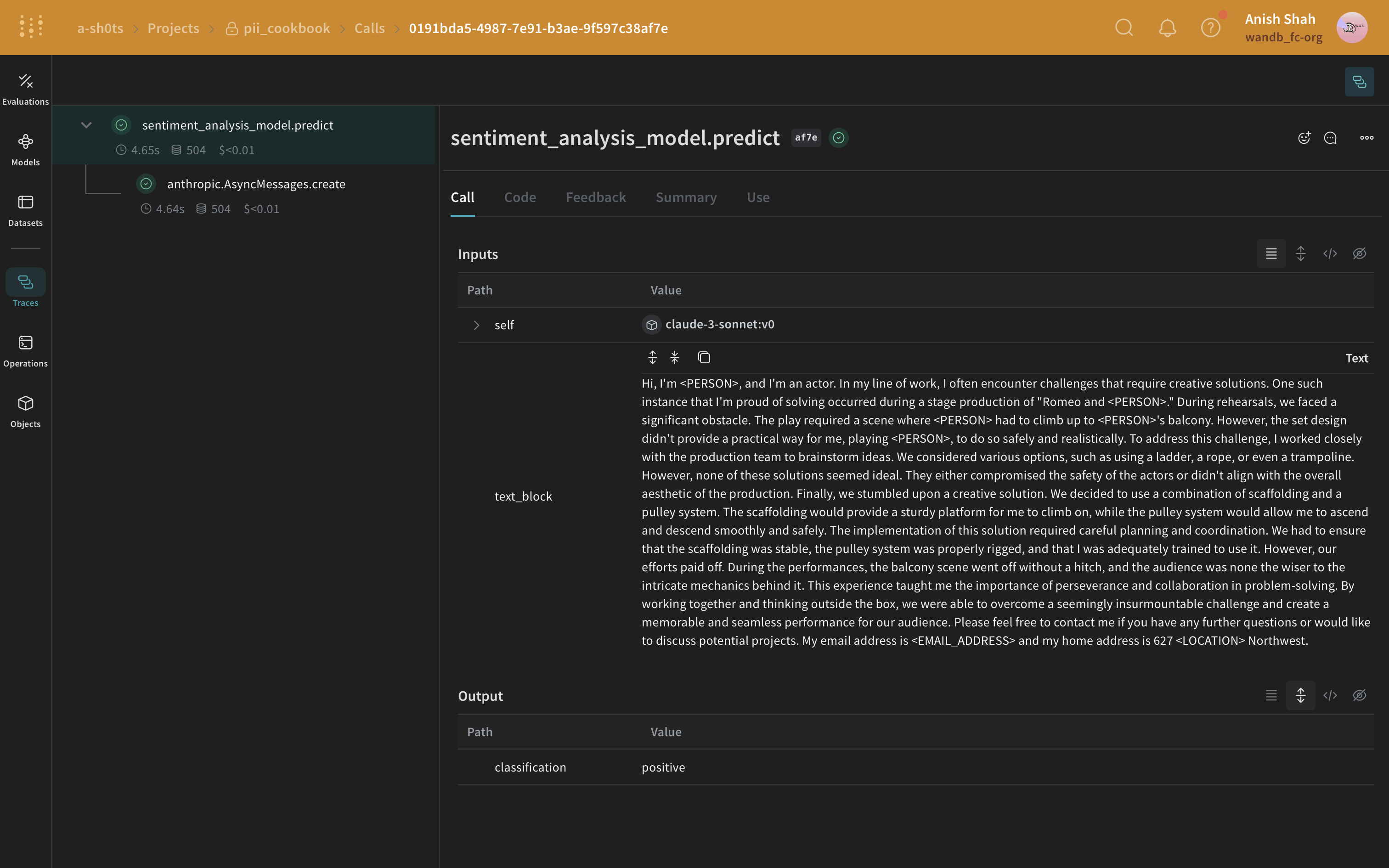
Faker and Presidio replacement method
In this example, you use Faker to generate anonymized replacement PII data and use Presidio to identify and replace the PII data in the original text.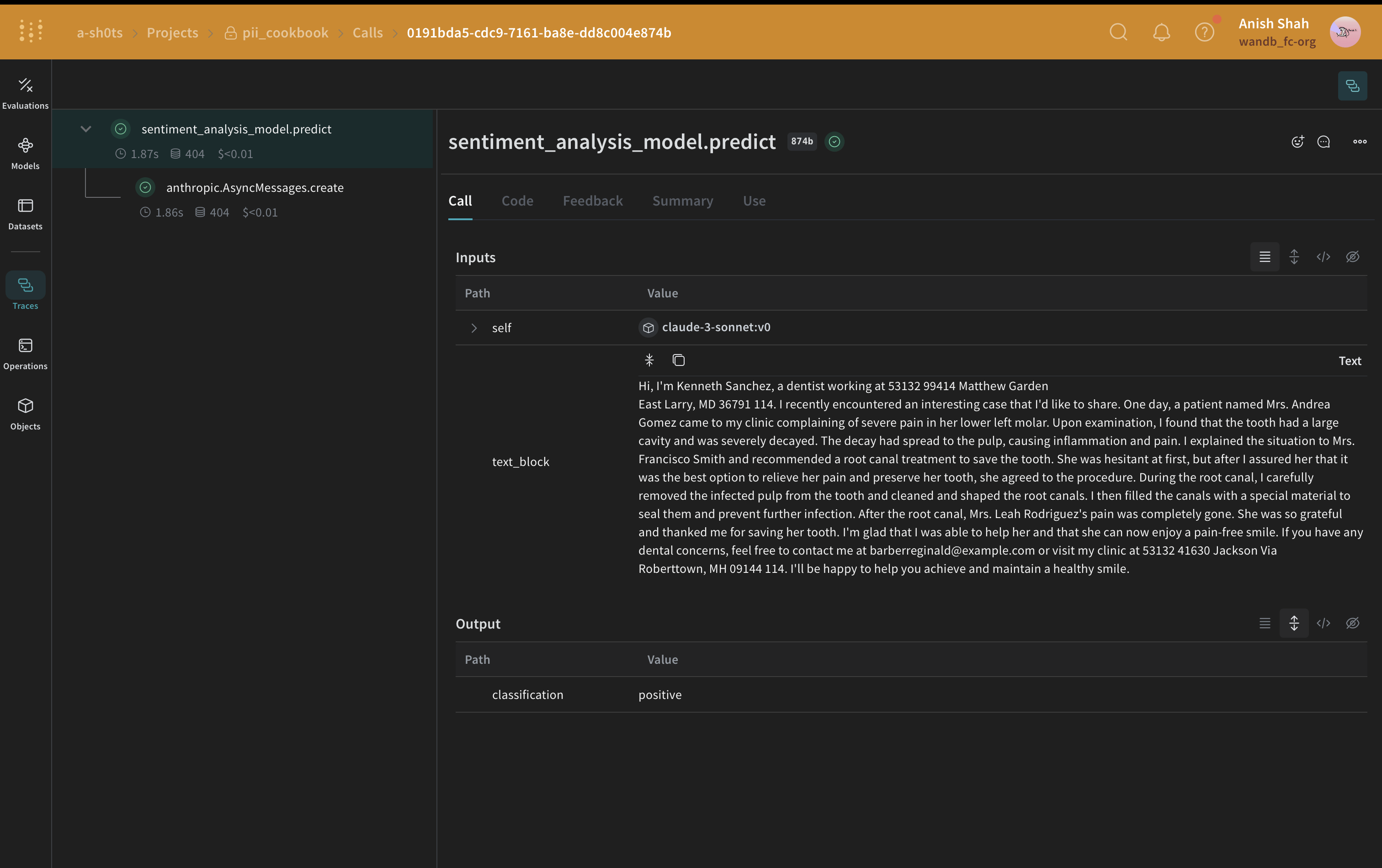
autopatch_settings method
In the following example, postprocess_inputs for anthropic is set to the postprocess_inputs_regex() function at initialization. The postprocess_inputs_regex function applies the redact_with_regex method defined in Method 1: Filter using regular expressions. As a result, redact_with_regex is applied to all inputs to any anthropic models.
Optional: Encrypt your data
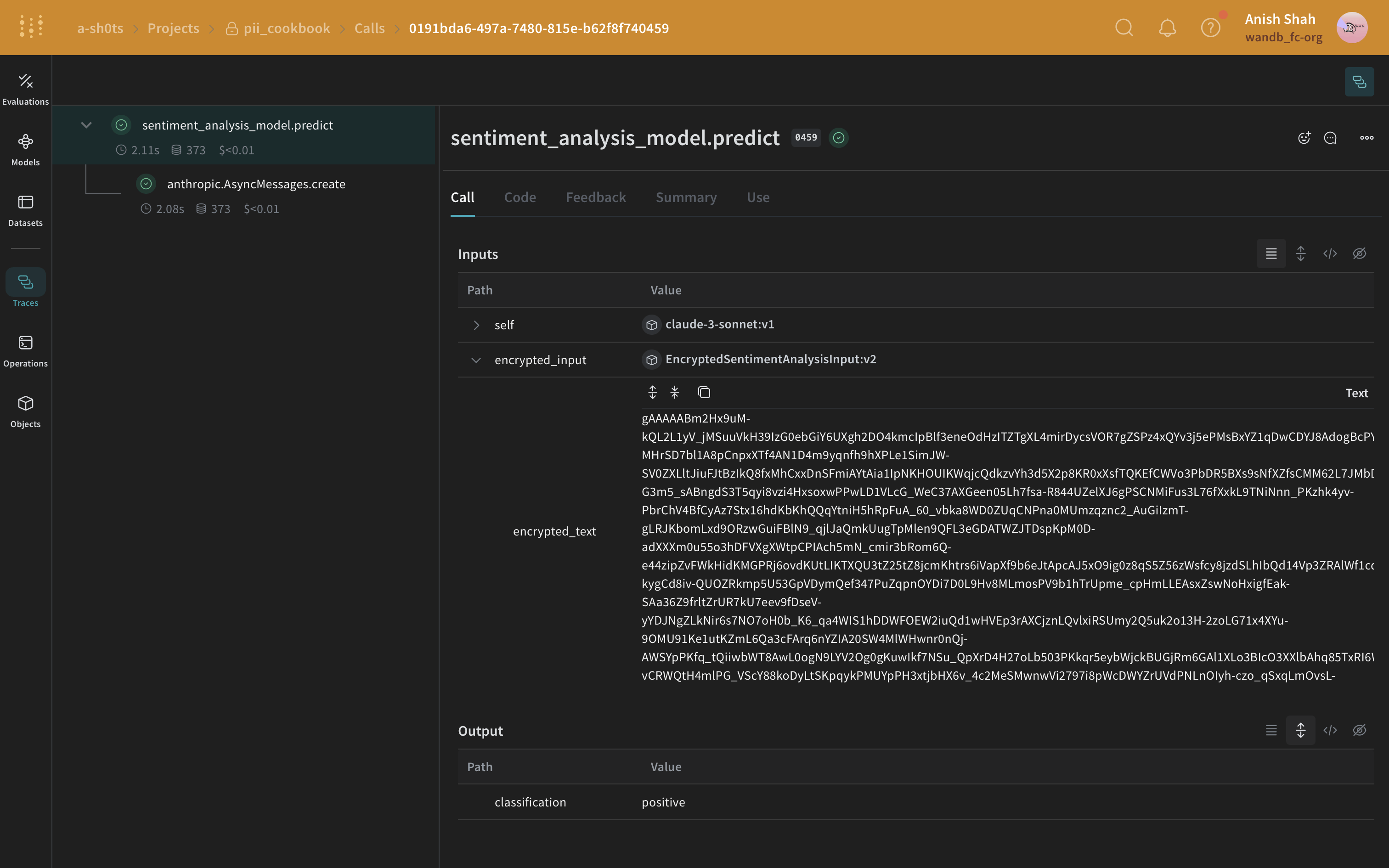
predict method.